Gather
A personal exploration into meal-driven grocery planning. Using cursor to prototype a concept for meticulous planners who structure their grocery lists on planned meals.
Focus
User Research, Concept Development, Prototyping
Team
Self-initiated
Tools
Figma, Cursor (Opus 4.5, Codex, Composer models), ChatGPT
Outcome
Validated the concept’s desirability among users.
Context:
Observation from My Ecosystem
One of the most important lessons I learned in my HCDE 518 – User-Centered Design course at the University of Washington is that understanding human behavior is never optional in technology design - it is intentional and purposeful. Since then, I’ve become more curious about studying how people function everyday in our ecosystem.
A unique behavior I noticed was how some of my friends approach grocery shopping. Unlike the usual “pick whatever you need” approach I follow, they are very deliberate: they plan meals for the week first and buy groceries only for those meals—nothing more, nothing less. Interestingly, they managed this entirely through notes apps, without using any dedicated grocery tools.
This observation sparked the idea for Gather, a simple prototype concept that mirrors this meal-first grocery planning behavior. At the same time, it gave me a chance to experiment with AI-assisted interaction prototyping to explore lightweight, flexible design solutions.
Reseach Insights:
Understanding Human Behaviour
Before starting the project, I conducted light-weight research employing semi-structured interviews with my target user group (mostly international students ages between 20 and 26). I found the following information:
01
Meal planning is social and contextual
Users often derive meal ideas from external sources — YouTube, family members, or conversations — before thinking about groceries.
Grocery planning begins outside grocery apps.
02
Meals are the primary unit of thought
For some users, groceries exist to enable meals, not the other way around.
The mental model is meal-first, not item-first.
How might we design grocery planning for meal-first users to help them create grocery lists with minimal effort?
Concept Idea
AI-Assisted Grocery Planning - User Stories, Tasks, Flows.
Based on research insights, my idea was to develop an AI-powered approach where meals act as the primary input, and ingredients are generated as an outcome which can then be turned into grocery lists for shopping convenience.
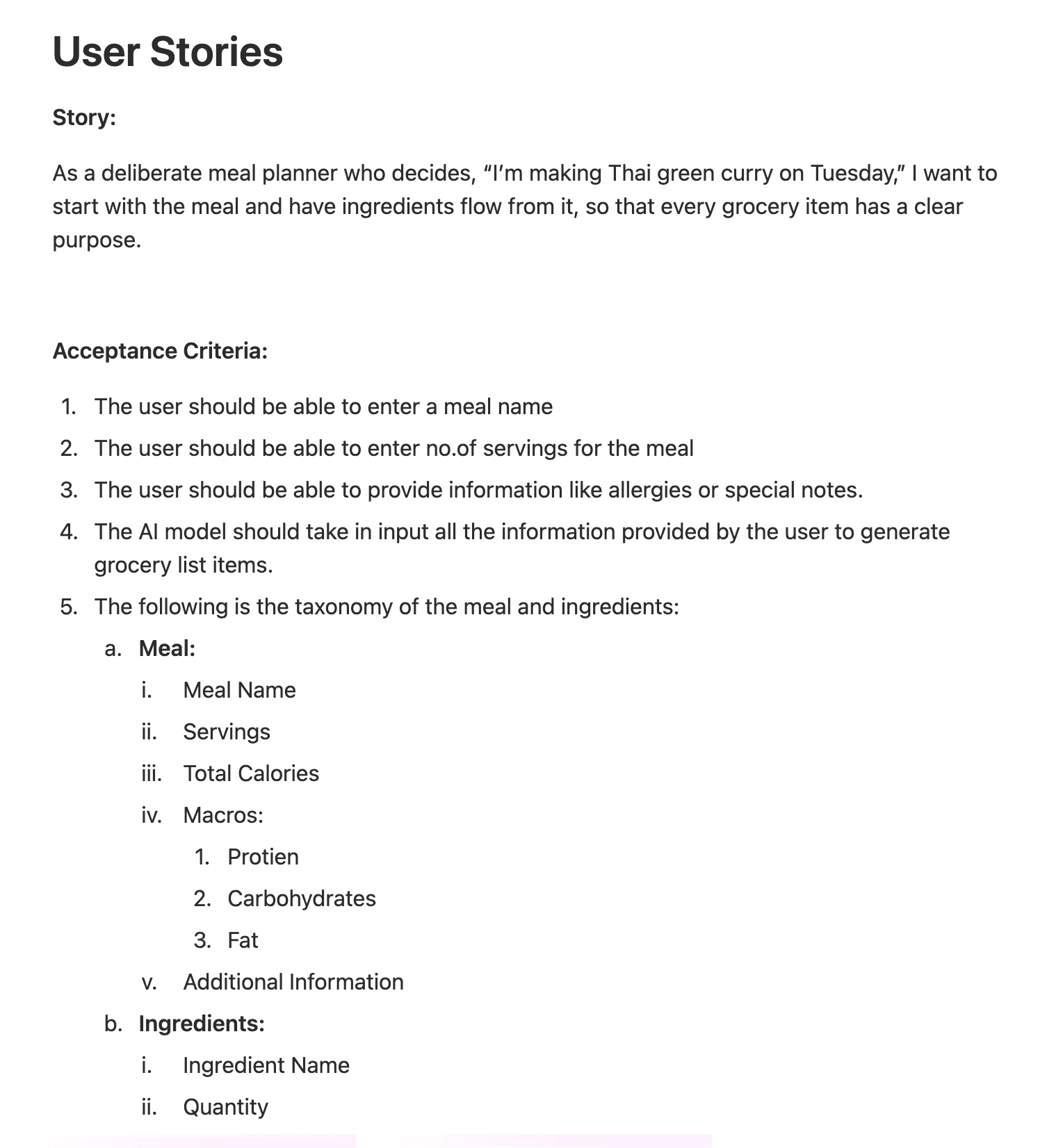
To support this, I first defined the user stories to capture the essential functions of the app. This also helped me think about user actions and flows, and information taxonomy.
Setting Up Build Ecosystem
Preparing design files for cursor
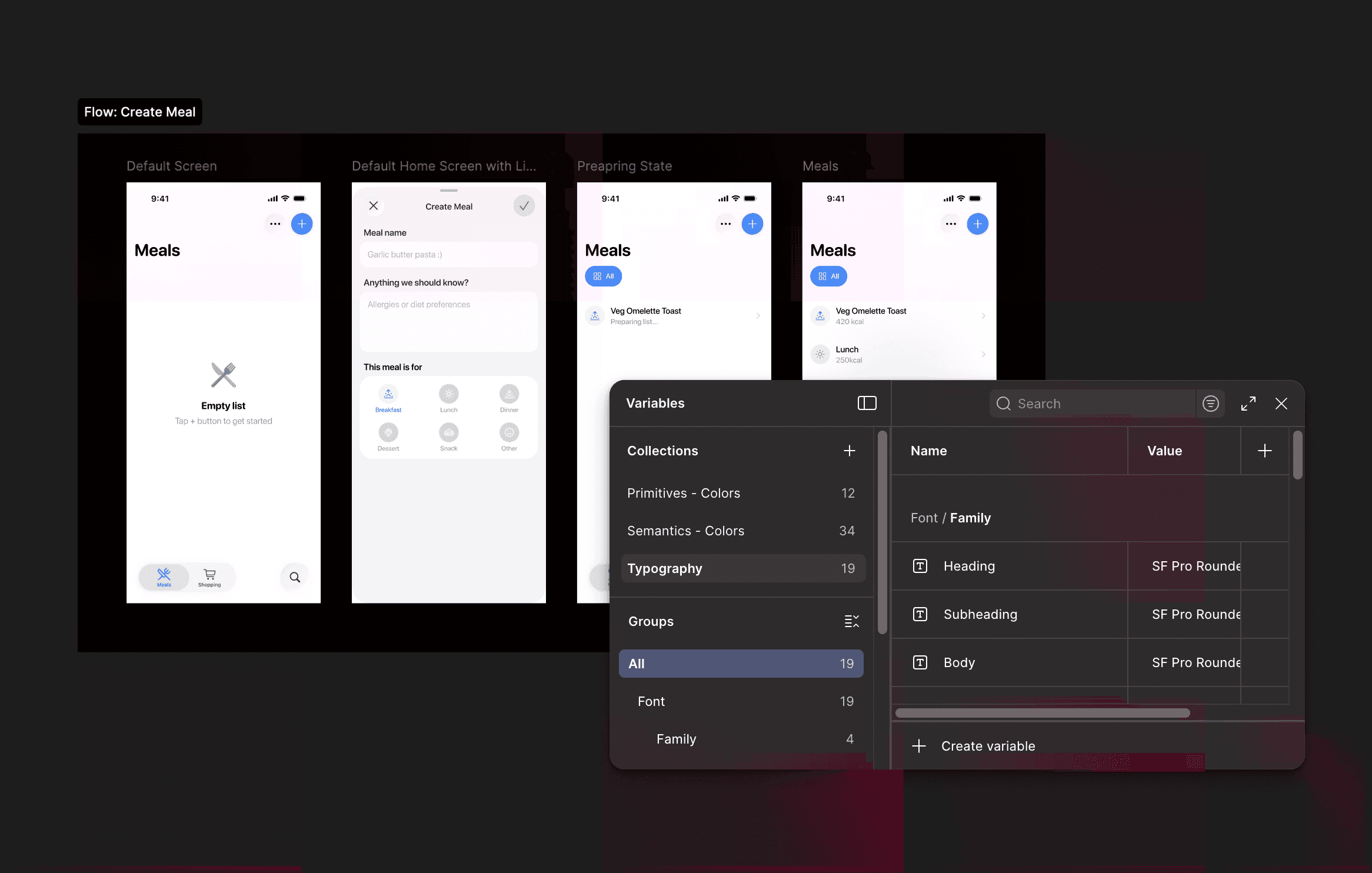
Before moving into Cursor to prototype the interactions, I explored multiple structural approaches in Figma to clarify how the concept should manifest visually and behaviorally. This phase allowed me to define the core interaction patterns, system components, and potential edge cases before introducing automation. Establishing a clear concept foundation was critical — AI-assisted prototyping is most effective when layered onto a well-resolved concept, not used to discover one.
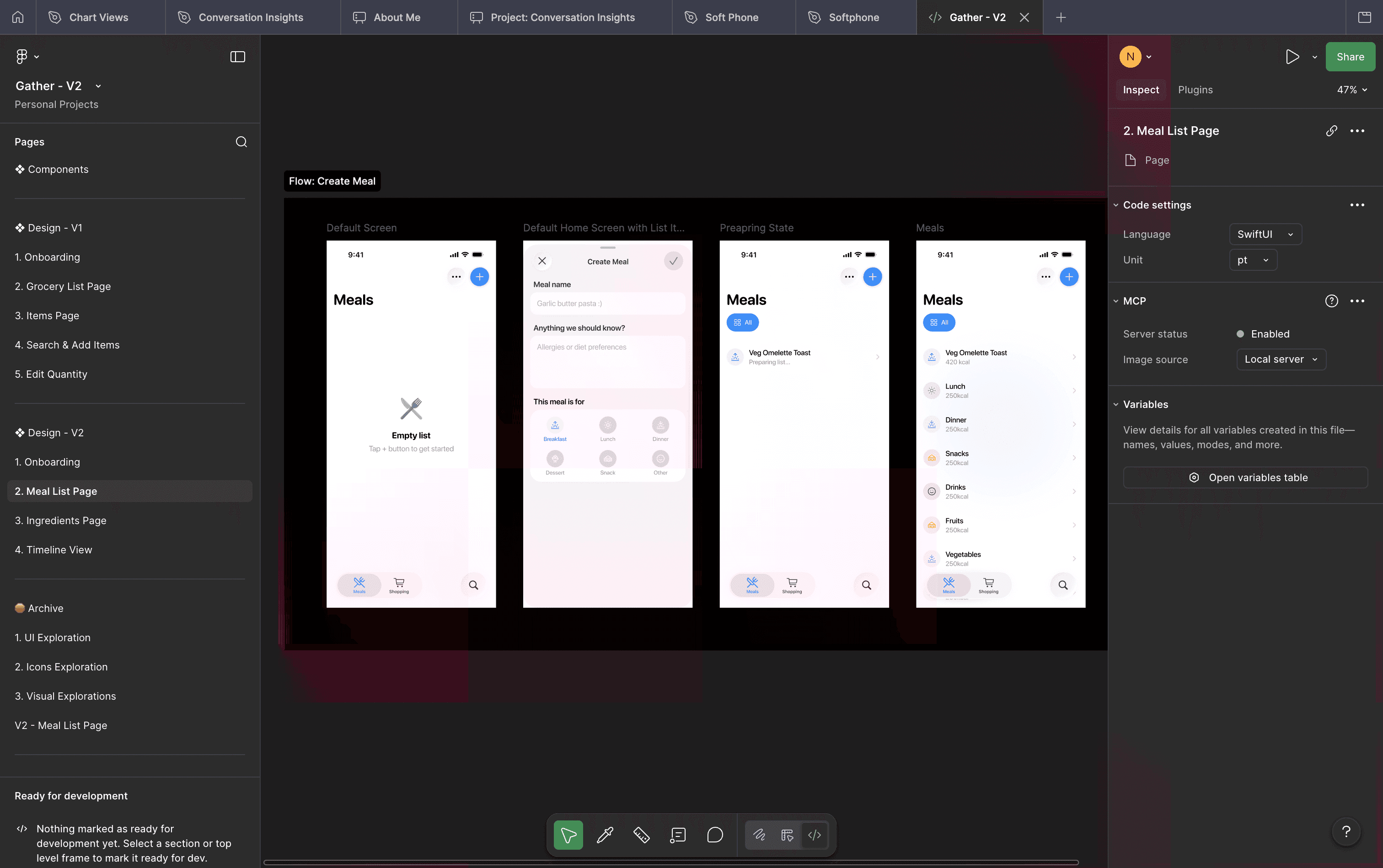
After that, I enabled Figma MCP and defined rules in Cursor, allowing the agents to read my Figma files and adhere to specific coding conventions and user experience.
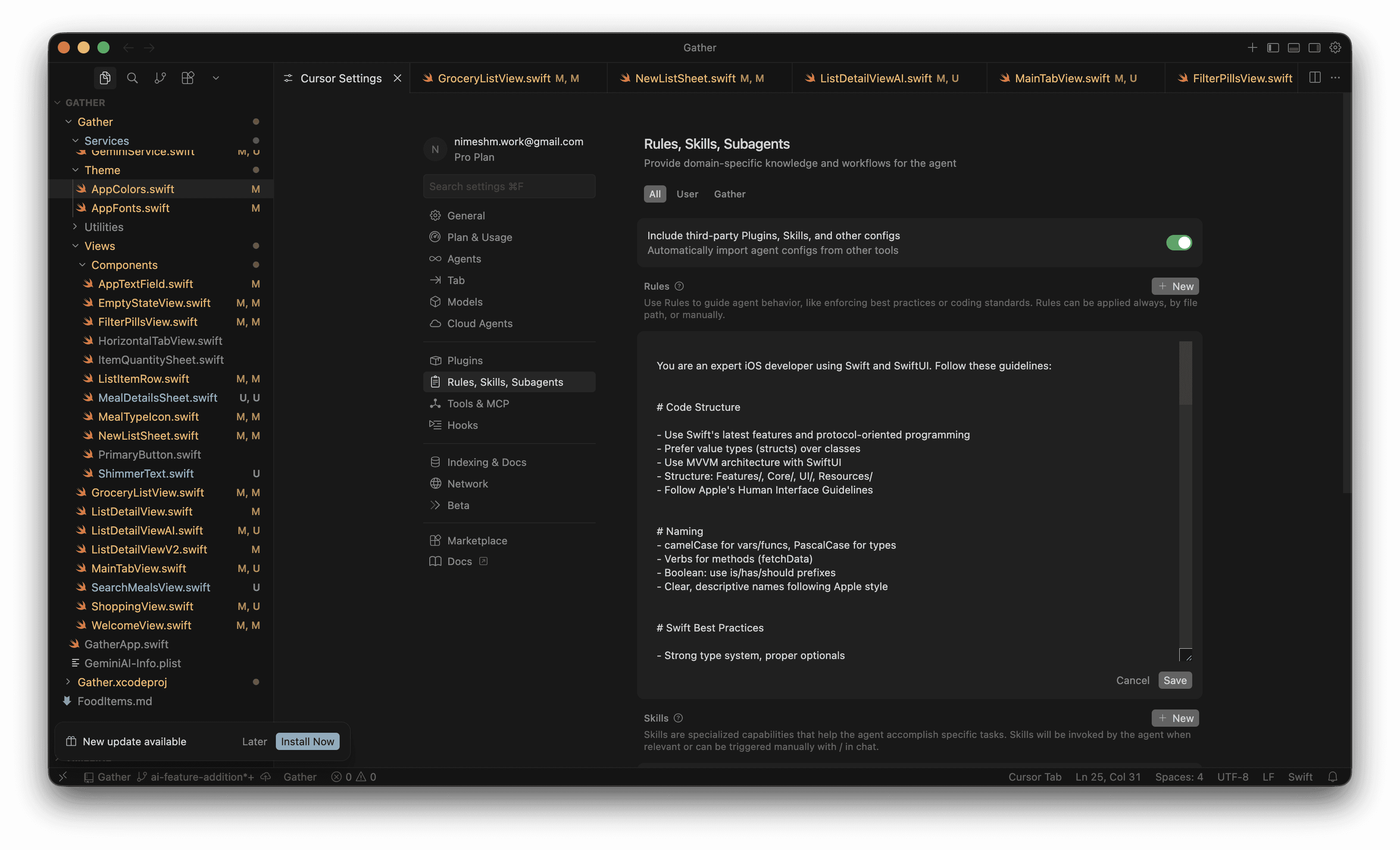
And now, vibe-coding begins :) One thing I didn't cover here is using lower-teir Gemini models to automatically generate ingredients list based on input.
I'll update this page very soon.
Key Learnings
Being specific in the linguistics of frameworks
When working with AI coding tools like Cursor, the way you describe a framework matters. Precise language around components, patterns, and constraints (e.g., React hooks, Tailwind utilities, shadcn structure) significantly improves the quality of generated code. The more accurately you speak the “language” of the framework, the more reliable and structured the AI output becomes.
Always ask what the agent is thinking
AI agents can sometimes produce confident but incorrect outputs. Asking the agent to explain its reasoning or outline its approach helps reveal potential hallucinations early. This makes the interaction less like issuing commands and more like reviewing a junior developer’s thought process.
Work in Plan Mode and Ask Mode first
Before asking the agent to implement anything, it helps to use planning and clarification steps. Asking the agent to outline the plan, dependencies, and approach creates alignment before execution. This reduces rework and keeps the development process intentional rather than reactive.
AI as a collaborator, not a replacement
Design remains fundamentally a human-driven discipline. While AI can accelerate prototyping, suggest patterns, or generate implementation code, it should not replace the designer’s judgment. The designer still needs to frame the problem, evaluate trade-offs, and make intentional decisions. AI works best as a collaborator that amplifies thinking—not as a substitute for original analysis and design reasoning.
What I will do next
Strengthen the core function of the app
Use subagents in cursor to run parallel specialized independent jobs
Hopefully have enough money to publish it to play store
Thanks for Reading!
Thanks for following along!